How to change the service provider on Registro.br to Napoleon
This procedure changes the service provider for your domain on Registro.br, directing the domain management to Napoleon.
Step by step
- Go to registro.br and log in to your account.
- After logging in, click on My Data.

- In the menu, click on Ownership.
- Click on the account title (ownership) you want to change.
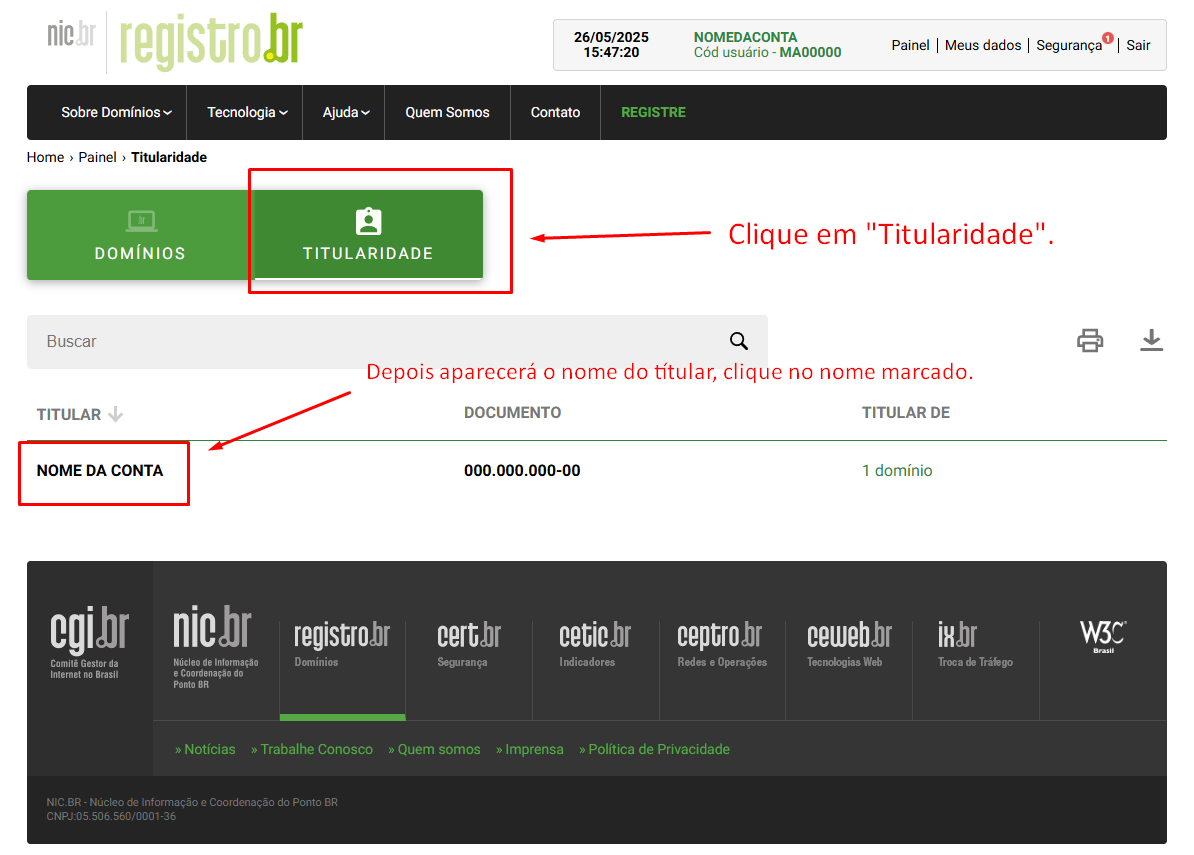
- Scroll down the page until you find the Service Provider section.
- Under Service Provider, select Napoleon’s provider (e.g., NAPOLEON (140)).
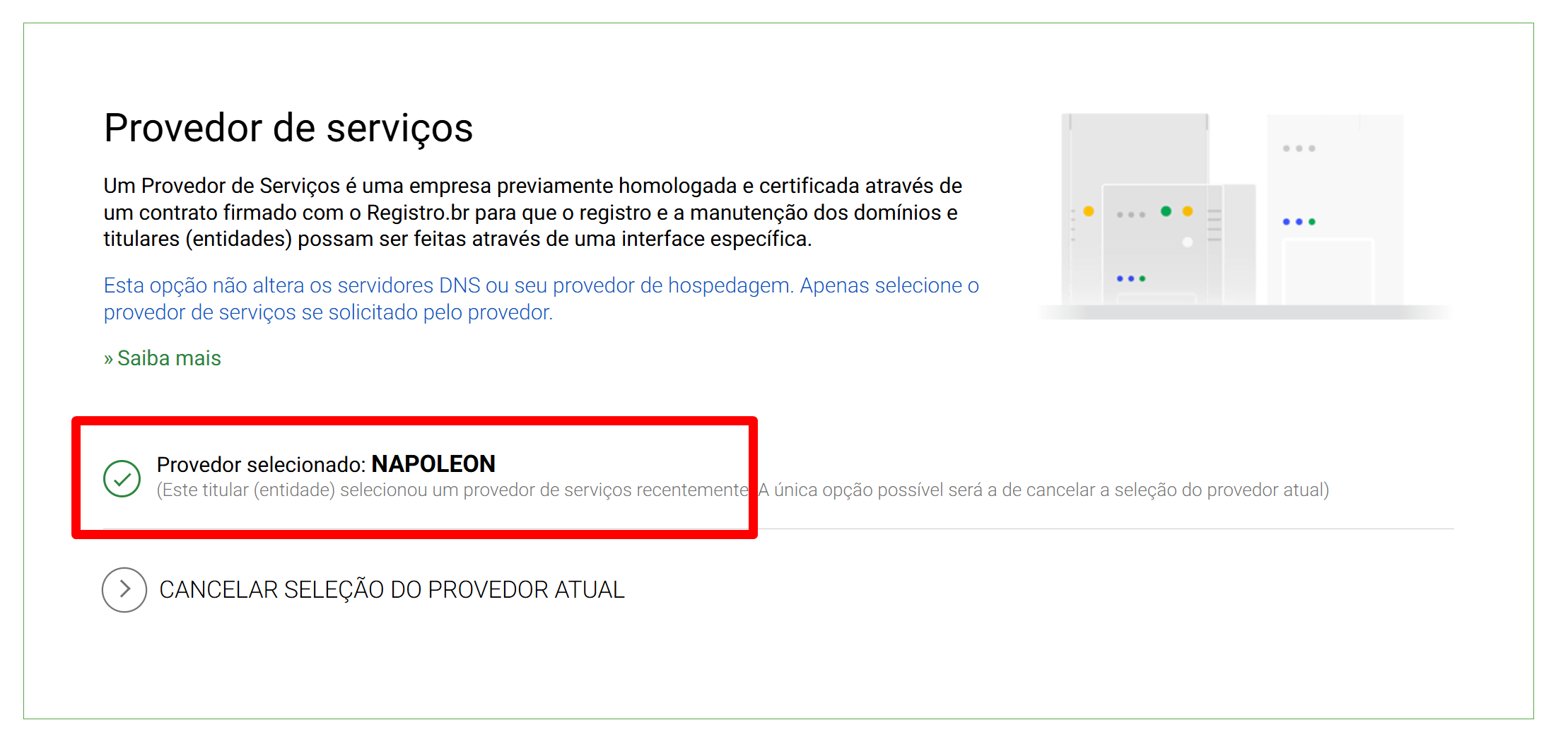
- Confirm the change when Registro.br requests it.
Tip: if you can’t find the Service Provider section, go back one step and confirm that you have selected the correct ownership, since the change must be made within the ownership profile.
Note: changing the service provider is not the same as transferring domain ownership (changing CPF or CNPJ). Domain ownership transfer follows a specific administrative procedure at Registro.br.